Ai Automation
AI Real Estate Team Software: What Team Leads Need
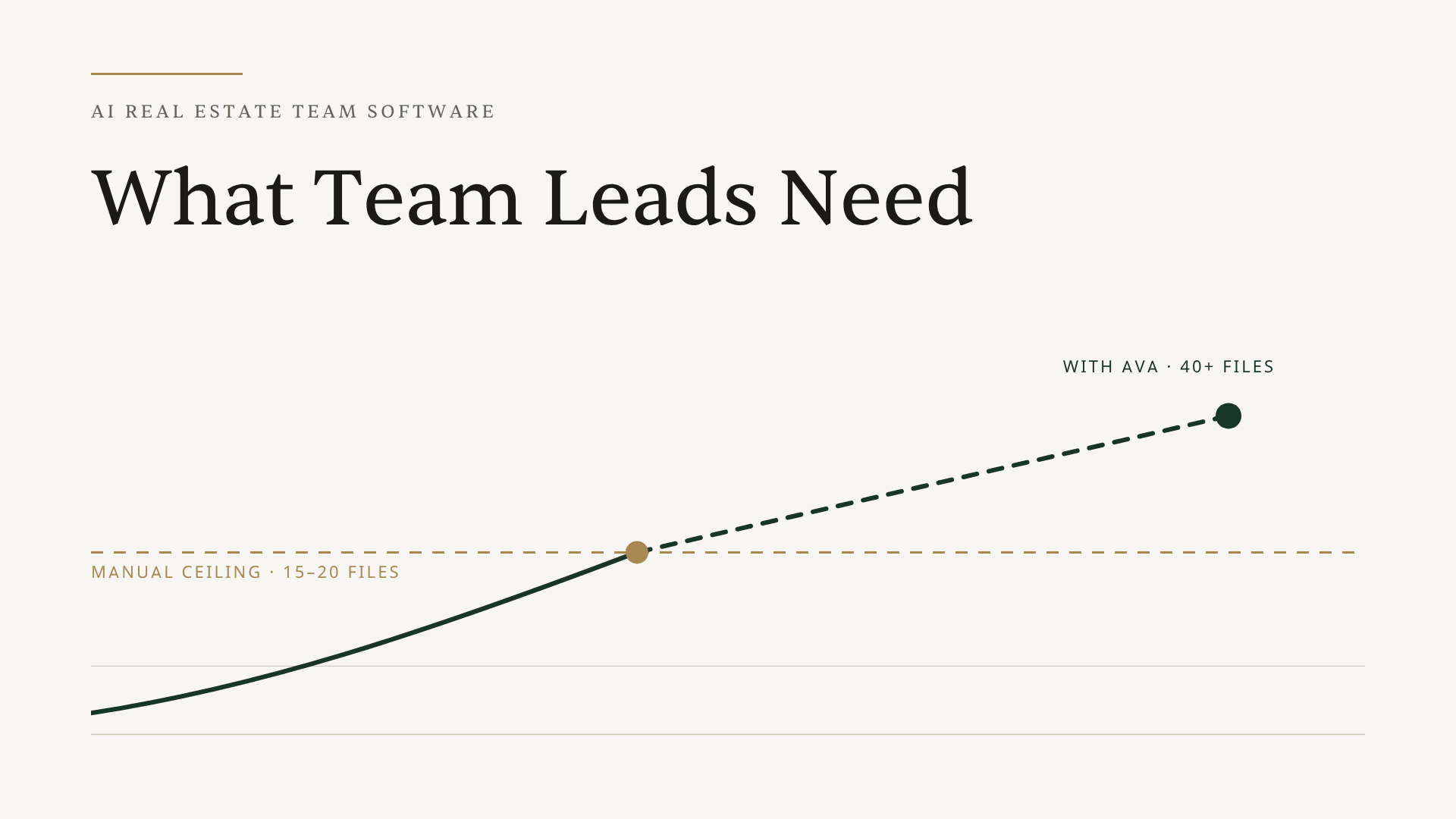
Quick answer: One TC handles 15-20 files without AI. Add AI, and that same TC handles 40+. For team leads managing growing teams, AI real estate team software solves the capacity problem at roughly half the cost of a second hire — while giving you visibility across every deal your agents are running.
What does a real estate broker do when their team is closing more deals than their process can handle — and they're the last to know when something slips?
That's not a hypothetical. It's the tension every broker carries once their team gets past a handful of agents. You're responsible for every deal your agents touch. Most of those deals are running without you in them. And the way you find out something went wrong is usually when it's already too late to fix it cleanly.
The instinct is to hire. Add another TC, spread the load, and hope the process scales with the headcount. But there's a different answer for 2026, and the math behind it is stark enough that once you see it, it's hard to unsee. This piece walks through what AI real estate team software actually does at the team layer — not for the TC's productivity, but for the broker's oversight, consistency, and liability exposure.
---
How Many Transactions Can One TC Actually Handle?
One TC can handle 15 to 20 active files without AI support before quality starts to slip. That's not an opinion — it's consistent with what experienced TCs report across forums and industry research on TC workload, which notes the ceiling is set primarily by how manual the underlying processes are.
Now layer in what's happening at the market level. NAR is forecasting a 14% increase in home sales in 2026. For a team closing 80 transactions a year, that's 11 more deals landing on the same people's desks. And SkySlope has documented that brokerages consistently hit a transaction bottleneck around the 30-agent mark — usually when one admin or TC can no longer keep up. Some teams hit it at 20 agents. Others push to 35 before things break. But the wall is real, and it shows up in missed deadlines, inconsistent service, and brokers getting pulled into operational tasks they shouldn't be touching.
The teams that don't hit the wall? They've changed the system before volume catches up to them.
---
Hire Another TC or Add AI? Here's What the Math Actually Says
Hiring feels like the obvious fix. Volume is up, people are underwater, so you add more people. The logic makes sense on the surface.
The math tells a different story.
A W-2 transaction coordinator in most major markets costs between $50,000 and $65,000 per year in base salary alone. Add benefits, payroll taxes, and the soft costs of recruiting and onboarding, and you're looking at $70,000 or more in fully-loaded annual spend before they've closed their first file. You can verify this against current market rates in the 2026 transaction coordinator salary guide.
Then there's onboarding time. A new TC doesn't walk in the door knowing your checklists, your templates, your preferred communication style with agents, or the quirks of your most important clients. Getting them to full productivity takes six to ten weeks, minimum. During that window, your existing TC is splitting their attention between their own files and training someone new.
But here's the part most brokers miss: hiring solves capacity but doesn't fix the underlying process problem.
Two TCs doing things differently is not twice the capacity. It's twice the inconsistency. Agent A's transactions are handled one way. Agent B's, another. Your buyers and sellers get different experiences depending on who picks up the file. And when someone leaves, the institutional knowledge walks out the door with them.
Here's how the two paths compare:
| **Hire a Second TC** | **Add AI to Your Existing TC** | |
|---|---|---|
| Upfront cost | $70K+/year fully loaded | Usage-based, scales with transactions |
| Onboarding time | 6-10 weeks at reduced capacity | Days, not weeks |
| Monthly file capacity | +15-20 files | +20-25 files from the same TC |
| Process consistency | Depends on the person | Your standards applied to every file |
| Cost per transaction | ~$229 at 20 files/month | ~$115 at 40 files/month |
| Knowledge retention | Leaves when they leave | Lives in the system |
The real question for a growing team isn't "how many TCs do we need?" It's "are we running an efficient system that scales?" Those are very different problems with very different solutions.
---
What AI Actually Does for a Real Estate Team
There's an important distinction that gets lost in most AI conversations: what AI does for an individual TC is not the same as what it does for a team.
For an individual TC, AI saves time on each file — faster intake, faster document extraction, deadlines calculated automatically. That's genuinely useful, and if you want to understand how that works mechanically, the TC workflow automation guide covers the full picture.
For a team, AI does something categorically different: it creates a standardized operating system that everyone runs on.
That's the team layer distinction, and it's where the real ROI lives for brokers. When Ava reads a contract and builds the transaction checklist, she's not just saving one TC 40 minutes. She's applying your brokerage's exact checklist, in the same order, with the same deadline logic, to every file, regardless of which team member is working it. The output isn't "TC saved time." The output is "every transaction your brokerage touches now looks and operates the same way."
That's the difference between productivity software and an operating system. For the full picture on how AI-driven coordination differs from traditional automation tools, the AI vs automation breakdown is worth reading. And if you want to see it on a real contract, your first transaction is free.
---
The Four Team-Level Problems AI Solves
Problem 1: Visibility Gaps
Brokers and TC managers live with a constant tension: they need to know what's happening across all their transactions, but they can't interrupt their TC every time they want a status update.
The typical workaround is a spreadsheet, a Slack channel, or a standing check-in meeting — all of which require someone to manually maintain them, which takes time away from actual transaction work.
Ava surfaces a unified dashboard showing document status, outstanding tasks, and upcoming deadlines across all transactions at once. No interrupting the TC. No hunting through email threads. The broker sees where things stand at any moment without breaking anyone's focus. As one team lead put it: "My TC is phenomenal, but she has a lot of people and sometimes it gets sloppy." Visibility is how you catch sloppy before it becomes liability.
Problem 2: Process Inconsistency
Different team members do things differently. That's not a character flaw — it's what happens when people build their own processes in isolation. The problem is that inconsistency creates unpredictable outcomes, and unpredictable outcomes erode trust with agents and clients.
Ava applies the same checklist, the same templates, and the same deadline logic on every file, regardless of who's working it. A Florida transaction gets handled the same way every time. A Texas transaction gets the right state-specific workflow every time. The agent experience is consistent because the process is consistent, not because one specific TC is on the file.
Problem 3: New Hire Onboarding
When a new TC joins your team, teaching them your process takes weeks. They need to learn your checklists, your email templates, your preferred communication cadence, which agents have specific preferences, how you handle different transaction types.
Ava already has your process memorized. When a new TC joins and starts using Ava, they're not learning your process from scratch — they're executing your process from day one, with AI that's already been trained on how your brokerage operates. That compresses a 6-week onboarding timeline into a few days of platform orientation.
Problem 4: Knowledge Silos
Most TC teams run on tribal knowledge. One TC knows exactly how to handle a short sale from years of experience. Another knows which agents need extra hand-holding and which ones prefer no communication until closing. A third has templates for every email they've ever sent.
None of that lives anywhere else. It's all in their heads.
When someone is out, their files are opaque to everyone else. When someone leaves, institutional knowledge evaporates. When you bring on a new team member, they're starting from zero.
Ava fixes this by keeping everything in one place with full team visibility. Any team member with the right permissions can see the status of any file, what's been done, what's outstanding, and who's responsible for what. The transaction lives in the system, not in someone's memory.
---
The Math of Scaling With AI
Let's run the actual numbers, because this is where the case becomes undeniable.
A TC without AI support is limited to roughly 15-20 active files before quality starts to slip. Add Ava, and that same TC can handle 40 or more files at the same quality level. That's consistent with what TCs themselves report — a thread on r/realtors shows experienced TCs with strong systems managing 40-60 active files. The consistent variable among the ones at the higher end: systemized, AI-assisted processes.
At $55,000 per year with a 20-file monthly cap, you're paying roughly $229 per transaction in TC salary before any other costs. Double that TC's capacity to 40 files with AI, and the salary cost per transaction drops to $115. Add in the modest, usage-based cost of the software, and you're still well ahead. For the full breakdown of how automation works across each phase, the TC workflow automation guide lays it out step by step.
---
What to Look for in AI Real Estate Team Software
Not all AI tools built for real estate teams are built the same way. A few things that matter at the team layer:
Permission levels that make sense. You should be able to give an agent read-only access to their own transactions without letting them accidentally modify a checklist or delete a document. Ava supports custom permission levels for assistants, agents, and admins, so everyone sees what they need and can only touch what they should.
Works without setup for any state's contracts. A team doing transactions in multiple states needs AI that reads any state's purchase agreement with no pre-setup required. Ava reads contracts in real time, including handwritten ones, without requiring pre-configuration for each state's forms.
Sends from your team's own email. Client communication that arrives from an AI-branded domain undermines trust. Ava sends directly from your Gmail or Outlook account, with your name on it. Clients never know AI drafted the message.
Pricing that scales with transactions, not seats. Flat seat-based pricing punishes growth. Usage-based pricing grows proportionally with your business instead of jumping in fixed tiers. See the full details at listedkit.com/pricing.
You can also review the full feature set for teams on the ListedKit features page.
---
The Bottom Line
If your team is heading into spring market and already feeling the friction at 15-20 active files, this is when the capacity wall shows up first. Brokers scaling in 2026 aren't hiring their way out of transaction volume — they're building systems where their existing TC handles twice the work at the same standards.
The capacity wall is real. The cost of another W-2 is real. The process inconsistency that comes from growing too fast without the right infrastructure is real. AI doesn't eliminate the need for skilled TCs. What it does is remove the ceiling that caps what one skilled TC can do, and it replaces the patchwork of individual processes with a single operating system the whole team runs on.
If your team is approaching that ceiling, the place to start is simple: get started with ListedKit and run one transaction through Ava. The first intake is free. Or book a demo and we'll walk through it with your specific team setup.