Best Practices
How to Automate Document Collection in Real Estate (2026)
How do the TCs managing 20+ files at once keep every document accounted for without spending half their day on follow-up emails?
It's not better spreadsheets or color-coded folders. It's having a system that tracks document status at the transaction level, flags what's missing before it becomes a problem, and catches errors the moment a document lands. The difference between a TC buried in "just checking in" emails and one who actually has capacity to take on more files comes down to one thing: automating the document chase.
This guide walks you through how to automate document collection in real estate, from understanding where your time actually goes to building a workflow that eliminates the daily follow-up grind.
The Real Cost of Chasing Documents
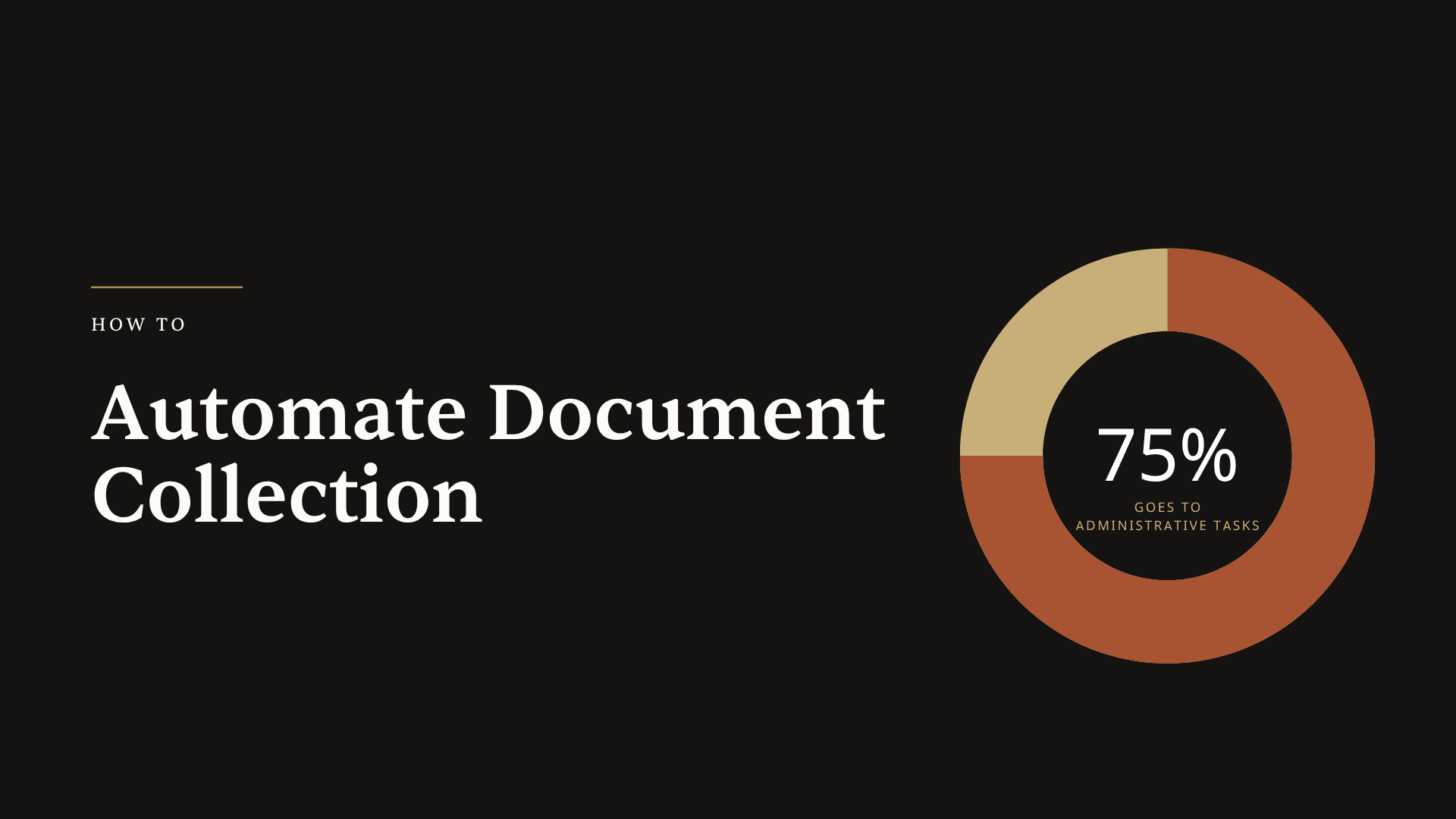
Here's a number that should make every TC stop and think. According to NAR research, roughly 75% of the time spent on a real estate transaction goes to administrative tasks. Not negotiating. Not building relationships. Paperwork.
For transaction coordinators specifically, the average file takes 8 to 15 hours to manage from contract to close. And a significant chunk of that time isn't doing anything productive. It's waiting. Following up. Sending the third email asking for the same HOA documents that were due last week.
Think about what that looks like across your pipeline. If you're managing 20 active files and each one has three or four outstanding documents at any given time, that's 60 to 80 follow-up threads running simultaneously. Every morning starts with the same question: which documents am I still missing, and who do I need to chase today?
The HousingWire transaction management roundup notes that this administrative burden is exactly why TC software has exploded in recent years. But most tools only solve half the problem. They give you a place to store documents. They don't tell you which ones are missing, which ones have issues, or which deadlines are at risk because a document hasn't shown up yet.
That's the gap. And it's where most TCs lose hours every single week.
Why Missing Documents Kill Closings
You probably already know this from experience, but the data backs it up. The NAR REALTORS Confidence Index shows that 15% of real estate contracts experience delayed settlements. Another 6% get terminated entirely. While financing and appraisal issues get the headlines, document problems are the silent killer that compounds every other delay.
A missing disclosure form doesn't just mean a delayed closing. It means a phone call from the listing agent asking why things aren't moving. It means the lender puts a hold on clear-to-close because a condition wasn't satisfied. It means the buyer's attorney flags an issue at the eleventh hour that could have been caught three weeks ago.
The Consumer Financial Protection Bureau recommends buyers review all closing documents well in advance, but the reality is that TCs are the ones making sure those documents actually exist and are correct. When they don't, the consequences stack up fast. Per diem penalties for delayed closings can run $100 to $500 per day, depending on the contract terms. And the reputational cost is even higher: agents notice when their TC lets a document slip through the cracks.
Here's what makes this especially frustrating. Most of these delays are preventable. The document wasn't missing because it didn't exist. It was missing because nobody was tracking it. Nobody flagged that it hadn't arrived. Nobody checked it for errors when it did show up.
That's not a people problem. That's a systems problem. And systems problems have systems solutions.
What Automated Document Tracking Actually Looks Like
So what does it mean to automate document collection in real estate? It doesn't mean a robot sends emails for you (though automated reminders are part of it). It means building a system where every required document has a status, and that status updates in real time as your transaction progresses.
At the most basic level, you need three things for every document in every transaction:
A clear status. Is the document missing, does it have issues, or is it fully executed? Not "I think we have that somewhere." Not "Let me check my email." A definitive, at-a-glance status that tells you exactly where things stand.
Deadline awareness. Which documents need to arrive before specific contingency dates? If your inspection report is due in 10 days and it hasn't been uploaded, your system should surface that risk before you even think to check.
Error detection on arrival. When a document does show up, is it actually complete? Missing signatures, incorrect dates, mismatched names between the contract and the addendum: these are the problems that turn a "we have the document" into "we have to go back and get this fixed."
This is fundamentally different from document storage. Tools like Dropbox or Google Drive give you a place to put files. A transaction coordinator checklist tells you what documents you need. But neither of those actively tracks what's missing, what's wrong, or what's about to cause a delay.
The difference matters. A document storage system is passive. You have to go check it. An automated tracking system is active. It tells you what needs attention.
If you're still trying to piece this together with spreadsheets or manual checklists, you're doing the same work the system should be doing for you. And as real estate technology trends show, the TCs scaling past 20, 30, or 40 files per month aren't doing it by working more hours. They're doing it by letting their systems handle the tracking while they handle the relationships.
Building Your Document Automation Workflow
Let's get practical. Here's how to set up a document collection workflow that actually works, step by step.
Step 1: Map Your Required Documents by Transaction Type
Before you can automate anything, you need to know exactly what documents are required for each type of transaction you handle. A standard residential purchase in California requires different disclosures than one in Florida. A listing file needs different documents than a buyer file. Cash deals skip the lending documents entirely.
Start by building a master list for your most common transaction type. For most TCs, that's a financed residential purchase. Write out every document needed from contract to close: purchase agreement, all addenda, earnest money receipt, inspection reports, appraisal, title commitment, HOA documents, lender conditions, closing disclosure, and everything in between.
Then create variations for your other transaction types. Cash deals. Listings. Commercial files. New construction. The point is to have a template for each scenario so you're not recreating the checklist from scratch every time.
This is exactly what Ava does inside ListedKit. When you upload a contract, Ava reads it and builds your document checklist automatically based on the state, brokerage, and transaction type. No manual setup required. She knows that a Texas transaction needs a different set of disclosures than a New York transaction, and the checklist reflects that from day one.
Step 2: Set Up Status Tracking at the Transaction Level
Once you have your required document list, every document needs a status. The simplest framework that actually works in practice:
- Missing: Not yet received. Needs follow-up.
- Has Issues: Received but incomplete, has errors, or needs corrections.
- Fully Executed: Complete, correct, and ready for closing.
In ListedKit, this is exactly what you see in the compliance tab for each transaction. Every required document has one of these three statuses, so you can open any file and know immediately what needs attention. No digging through email. No checking folders. One view, clear status.
The key here is that the status should update when things change. When a document gets uploaded, it moves from "missing" to either "has issues" or "fully executed" depending on what Ava's compliance scan finds. That's the automation part: you're not manually updating a spreadsheet every time an email comes in.
Step 3: Configure Deadline-Based Alerts
Documents don't exist in a vacuum. They exist on a timeline. And some documents are more urgent than others because of contingency deadlines, lender conditions, or closing requirements.
Your system needs to connect document status to transaction deadlines. If the inspection report hasn't been uploaded and the inspection contingency expires in three days, that should trigger an alert. Not a general "you have outstanding items" notification. A specific flag: "Inspection report missing, contingency deadline February 14."
This is where most manual systems completely break down. You might know the deadline. You might know the document is missing. But connecting those two pieces of information across 20 or 30 active files? That's where things slip.
Ava surfaces deadlines at risk when required documents haven't arrived. So instead of checking each file individually and cross-referencing your calendar, you see which transactions have documents putting deadlines in jeopardy. That's how you stop chasing everything and start prioritizing what actually matters today.
Step 4: Add Compliance Scanning on Upload
Here's where most TCs think the job is done: the document arrived. But anyone who's been doing this for more than a few months knows that "received" and "ready for closing" are not the same thing.
A document can arrive with the wrong date. A signature can be missing on page 7. The buyer's name might be spelled differently on the addendum than on the original contract. An initial might be missing where it's required.
Catching these issues manually means reading every page of every document on every transaction. That's not realistic at scale. But missing them means a delay at closing, when the title company or lender flags the same issue you could have caught three weeks earlier.
This is where AI changes the game for transaction coordinators. Ava's compliance check acts as a second set of eyes on every document. When a document gets uploaded, Ava scans it for missing signatures, missing information, and data mismatches between the new document and your existing transaction context. Problems get flagged immediately, not at the closing table.
Think about the difference that makes. Instead of "the title company found an issue," it becomes "Ava flagged this on upload, and we fixed it that same day." That's the difference between a closing delay and a smooth transaction.
Scaling From 15 Files to 30 Without Working Weekends
Here's the real payoff of automating document collection. It's not just about saving time on your current workload. It's about building capacity for more.
Transaction coordinator training teaches you the fundamentals of managing files. But the TCs who scale past 20 or 25 files per month all have one thing in common: they've automated the repetitive tracking work so they can spend their time on the things that actually require human judgment.
When your system handles document status tracking, deadline alerts, and compliance scanning, your daily workflow changes dramatically. Instead of starting every morning with "what am I missing," you start with "here's what needs my attention." That's a completely different way to work.
The numbers support this. According to Infrrd's real estate document management research, automation can reduce the time spent on paperwork by over 70%. Even if your results are half that, you're getting back hours every week. Hours you can use to take on more files, improve your service to existing clients, or just stop working on Saturday mornings.
And the quality of your work actually goes up, not down. When every document has a tracked status and every upload gets scanned for errors, you catch more problems earlier. Your agents notice fewer issues. Your closings run smoother. Your reputation improves, which means more referrals and more business.
That's the real argument for automating document collection. Not that it makes you faster at the same work. It makes better work possible.
How to Get Started Today
You don't need to overhaul your entire workflow overnight. Start with one thing.
Pick your most common transaction type. Build out the complete document checklist for that type. Set it up with status tracking: missing, has issues, fully executed. Use that system on your next five transactions and pay attention to where it saves you time.
If you want to skip the manual setup entirely, ListedKit's AI features handle it from the moment you upload a contract. Ava reads the agreement, builds your checklist, tracks document status in the compliance tab, and scans every upload for problems. Your first intake is free, so you can test it on a real transaction and see the difference yourself.
The TCs handling 30+ files per month aren't working harder than you. They just stopped spending their days chasing documents and started letting their systems do it instead.
The Bottom Line
Automating document collection in real estate isn't about buying another tool. It's about building a system where every document has a status, every deadline has an alert, and every upload gets a second set of eyes. Stop chasing. Start tracking.