Best Practices
Holiday Closings: How to Prepare Your Deals Before Taking Time Off
Taking time off over the holidays starts with knowing where your active deals stand. What’s due while you’re away? What’s still missing? Who should clients contact if something changes?
An AI transactions assistant can help you pull that picture together, calculate contract deadlines, and prepare follow-ups. Ava, ListedKit’s AI transactions assistant, is one way to do that with your transaction files.
Before you log off, work through six steps:
- Review upcoming deadlines.
- Confirm availability and coverage.
- Check the disclosure, signing, funding, and recording schedule.
- Review outstanding document requests and tasks.
- Prepare client updates and reminders.
- Leave a clear handoff.
Here’s how to put that plan together, including prompts you can adapt for an AI assistant with access to the relevant information.
How holidays affect real estate closings
Holiday schedules can affect a closing, but there isn’t one calendar that governs every part of a transaction.
For the 2026–27 holiday season, Thanksgiving falls on Thursday, November 26; Christmas on Friday, December 25; and New Year’s Day on Friday, January 1, 2027. Federal Reserve holidays affect services such as Fedwire. Lenders, title companies, settlement agents, and county recording offices may have different hours or additional closure days. Confirm the schedule with the people handling your file. Federal Reserve holiday guidance
Contract deadlines follow their own rules. The result depends on applicable state law, your signed contract and amendments, and the particular deadline. A contract may count calendar days but still adjust certain deadlines that end on a weekend or holiday.
For example, the standard Texas TREC resale contract allows certain earnest-money and option-fee delivery deadlines to roll forward, but does not give the termination-option deadline that same extension. Florida’s CRSP-17 form extends many deadlines, while certain deadlines counted backward from closing move earlier. These are examples from specific contract forms, not rules for every transaction in either state. Texas REALTORS · Florida Realtors
Check the rule for each deadline before treating a holiday as an extension.
Your pre-holiday checklist
1. Ask AI to map your upcoming deadlines
Start with every active file that has a deadline or closing during your time away. You can build that list manually, or ask your AI transactions assistant to bring it together.
In Ava’s dashboard chat, try:
“Which transactions have deadlines or closings between December 21, 2026 and January 4, 2027? Group them by transaction.”
Then open a file that needs a closer look:
“Review this contract and its amendments. Explain how the inspection deadline is calculated, including the starting date, day-counting rule, and any holiday adjustment.”
Ava calculates dates from the contract, accounting for weekends and holidays according to the applicable counting rules, so you don’t have to count the days manually. Make sure the current signed contract, amendments, and relevant starting dates are available. Ask about any unclear terms or dates that still need confirmation.
If you use another AI assistant, connecting your calendar can help it list upcoming dates and flag possible holiday conflicts. To explain or check the calculations behind those dates, it also needs the contract, amendments, and confirmed triggering dates. Ask it to identify the relevant clause and flag missing information rather than guess.
Office availability is a separate check. A correctly calculated deadline can still fall on a day when a particular contact is unavailable.
2. Confirm availability and coverage
Ask the lender, title or settlement agent, and other agent about their holiday hours, cutoff times, and backup contacts. Check the recording office’s published calendar when recording is part of the planned schedule.
Keep the confirmed details with the transaction so the person covering your file can find them. Include who to contact, when they are available, and any arrangements that still need an answer.
If you use Ava’s email monitoring, confirm that it is active on the relevant transactions before leaving. Connecting an inbox alone does not enable monitoring on every file.
3. Check the disclosure, signing, funding, and recording schedule
These steps may happen on different days. Ask the lender and settlement agent to confirm the sequence before moving an appointment.
For most consumer mortgages covered by the federal Closing Disclosure rules, the borrower generally must receive the disclosure at least three business days before consummation—the point when they become legally obligated on the loan. Saturdays generally count for this waiting period; Sundays and specified federal legal holidays do not. Sending the disclosure and establishing receipt are different steps. CFPB timing rules
Confirm the required receipt date and delivery timing with the lender. Then check:
- When signing can take place.
- What conditions and cutoff times apply to funding.
- When documents can be recorded.
- Whether any schedule change requires a written agreement.
If you want help organizing the answers, ask your AI assistant:
“Build a closing timeline from the information in this file. Separate confirmed dates from anything we still need the lender or settlement agent to confirm.”
Signing earlier does not necessarily mean funds will be released or documents recorded earlier.
4. Review outstanding document requests and tasks
Start with the files that need attention during your break. Depending on the transaction, outstanding work could include HOA documents, repair invoices, insurance information, or walkthrough arrangements.
Instead of opening each file to build a list, ask Ava:
“Which document requests are still outstanding across my active transactions?”
Then narrow the review:
“What document requests and tasks are outstanding on Pine Avenue, and which are due before December 23?”
If the list is long, ask for the remaining items or focus on the files closing first.
An outstanding-request list shows work already recorded in the system. Compare it with the transaction checklist and contract requirements to catch anything that has not yet been requested or added.
Use the results to decide what to request now and what your teammate will need to follow up on while you’re away.
5. Prepare client updates and reminder emails
Give each client a short written plan: what remains, the confirmed dates, and who to contact while you’re away.
In the transaction’s Ava chat, try:
“Draft a holiday update for the buyers using the current dates and outstanding items on this file. Include the office hours and backup contact below. Flag anything that still needs confirmation.”
Add the availability details you confirmed. Review the draft’s dates, recipients, and next steps before sending it.
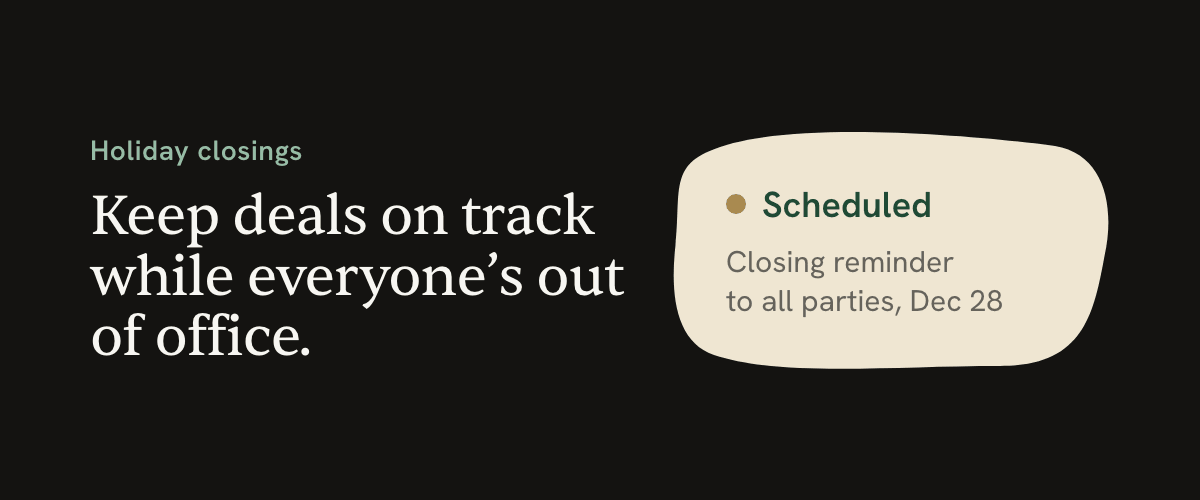
For a reminder that should go out later, prepare and review the email first, then schedule it. In ListedKit, you can choose a future time from the draft’s Send menu or ask Ava to schedule the prepared draft in the transaction chat. Check the workspace time zone when choosing the time.
Useful reminders might include a document request before a confirmed office closure or a client checklist ahead of signing. If the transaction changes before a scheduled email goes out, review the message and its timing again.
6. Leave a clear handoff
Decide who will handle urgent issues and how you want to check in. If you plan to be fully off, make sure the person covering your files knows what needs attention.
AI can help turn your preparation into a concise handoff:
“Summarize this transaction for the teammate covering it from December 24 through January 3. Include upcoming deadlines, outstanding items, confirmed contacts, and questions that still need an answer.”
Review the summary, add any context that is not in the file, and make sure your teammate has access to the documents and information they need.
Get a quick status update while you’re away
When you want to check in, ask a specific question.
After connecting your phone to Ava SMS, you can text:
“What’s the next deadline on Pine Avenue?”
“Which document requests are still outstanding on 214 Maple?”
Ava answers from the transaction information available to your account. If you need an email drafted, open the transaction’s chat in ListedKit.
If you already work in Claude, Codex, or another compatible AI assistant, you can also use the ListedKit MCP connection to look up transaction information there.
Start your first day back with a focused review
Ask Ava for upcoming deadlines and outstanding work, then review the files that need attention first:
“What deadlines and tasks need my attention today?”
“Which documents are still outstanding on the transactions closing this week?”
Check incoming updates for changes that need to be reflected in the file. On transactions managed by Ava, she can read messages from recognized senders and prepare replies without a separate request. Other messages may need your review first.
Review any prepared drafts and ask Ava to draft additional replies in the relevant transaction. Confirm changed dates and next steps before sending updates to clients or other parties.
Take time off with a plan people can use
Holiday preparation comes down to a few concrete things: dates calculated from the right contract, confirmed availability, clear follow-ups, and someone who knows what to do next.
Let AI help gather the information, handle the date calculations, and prepare the messages. Use your judgment to resolve unclear terms and confirm the arrangements that depend on other people.
With Ava, that work can start in the same place as your transaction files—leaving you less to pull together before you log off.