Best Practices
Why Static Checklists Fail Transaction Coordinators (And What to Use Instead)
What if your checklist could actually read the contract for you?
You know the drill. New deal comes in, you open your spreadsheet, and start the manual dance: scan the contract for the closing date, calculate the inspection deadline, figure out if "10 days" means business days or calendar days, check which contingencies apply, and type it all into your tracker. For every. Single. Transaction.
What if instead of spending 20-30 minutes manually entering data from each contract, your system just... handled it? Read the purchase agreement, pulled the dates, calculated the deadlines, and built your task list automatically. No more squinting at handwritten initials. No more recalculating everything when a counteroffer moves the closing date.
That's the gap between a static checklist and a dynamic system. And in 2026, that gap is costing transaction coordinators hours every week.
The Checklist Illusion
Everyone has a checklist. Pinterest boards overflow with beautifully designed transaction coordinator templates. Free downloads promise to "never miss a deadline again." Real estate Facebook groups share spreadsheets like family recipes.
And honestly? They look great. Color-coded tabs, organized phases, neat little checkboxes. Opening a fresh checklist feels productive. It feels like you have control over the chaos of a real estate transaction.
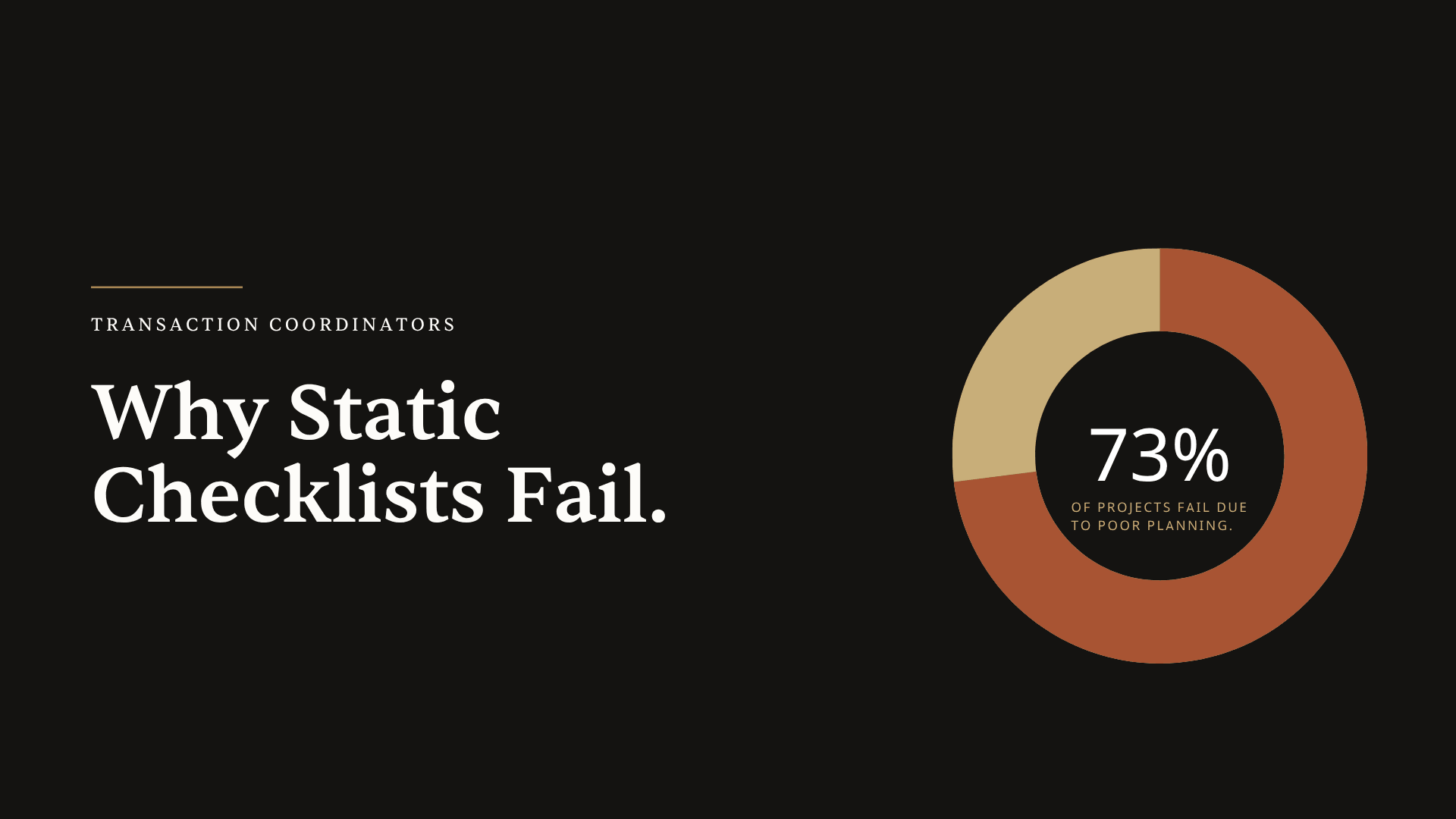
Here's the uncomfortable truth: 73% of projects fail due to poor planning, not lack of talent. And the problem isn't that transaction coordinators lack organizational skills. The problem is that real estate transactions aren't static. But checklists are.
A checklist is a snapshot. It captures what you thought would happen when you created it. But transactions are living, breathing things that change constantly. Counteroffers shift closing dates. Buyers switch from conventional to FHA financing mid-stream. Inspection reports reveal issues that trigger entirely new timelines. Your beautiful, static checklist can't adapt to any of it.
This is why we built Ava to think differently. Instead of forcing transactions into a template, Ava reads each contract and builds a dynamic timeline based on what's actually in the deal. The system adapts to the transaction, not the other way around.
Four Reasons Static Checklists Fail Transaction Coordinators
Let's get specific about where checklists break down. Because understanding the failure points is the first step toward finding something better.
Contracts Don't Follow Templates
Here's something every experienced transaction coordinator knows: no two deals are identical. Cash transactions move differently than financed ones. FHA loans have different inspection requirements than conventional loans. First-time buyers need more hand-holding than investors on their fifteenth flip.
And then there's the state-by-state complexity. States like Colorado require agents to use specific contracts and forms for every home sale. But in California, different cities have different forms. A transaction in San Francisco follows different disclosure requirements than one in San Diego. Your generic checklist from Pinterest doesn't know any of this.
The result? You download a "complete" checklist template and immediately start deleting tasks that don't apply. Or worse, you miss tasks that should be there because your template was built for a different state, a different transaction type, or a different brokerage's requirements.
Ava solves this by learning which template to use based on what she reads in the contract. Upload a California purchase agreement with an FHA loan, and she automatically applies the right checklist with FHA-specific inspection requirements and California disclosure timelines. Upload a Texas cash deal, and she builds an entirely different task list. She understands the contingencies outlined in each contract and adjusts accordingly.
And here's what really saves time: even if Ava includes tasks that don't apply to your specific deal, you can simply tell her "remove all tasks related to the appraisal contingency" and she handles it in seconds. No scrolling through rows, no manual deletion, no accidentally removing the wrong thing. Compare that to editing a spreadsheet where you're hunting for every appraisal-related task across multiple phases.
Dates Change. Checklists Don't Recalculate.
This is where static systems completely fall apart.
Picture this: You've got a transaction with a January 15th closing date. Your checklist is perfect. Inspection deadline on day 10, appraisal contingency removal on day 17, final walkthrough 48 hours before closing. Every task has a due date. Every deadline is accounted for.
Then the buyer's lender needs an extra two weeks. Closing moves to January 29th.
Now what? You're manually recalculating every single deadline. The inspection deadline shifts. The appraisal timeline changes. The final walkthrough moves. That "7 business days before closing" contingency? You're counting backwards on a calendar, excluding weekends, double-checking your math.
This isn't a rare occurrence. Dates change on almost every transaction. Counteroffers, lender delays, title issues, seller requests. Each change triggers a cascade of recalculations that your static checklist simply cannot handle.
And manual recalculation is where errors happen. You're tired, you're managing 12 other transactions, and you accidentally count a federal holiday as a business day. That's how deadlines get missed.
When dates change in ListedKit, Ava recalculates everything instantly. Update the closing date once, and every dependent deadline adjusts automatically. That "7 business days before closing" calculation? Ava handles it, correctly accounting for weekends and holidays. She even syncs the updated timeline to your Google Calendar in one click, so everyone involved in the transaction sees the new dates without you sending a single email.
The time savings compound quickly. Instead of spending 15-20 minutes recalculating and updating your spreadsheet every time a date changes, you spend 15 seconds. Multiply that across a dozen date changes per month and you're getting hours back.
No Visibility Into What's Actually Done
A checkbox tells you that a task was marked complete. It doesn't tell you if the work was done correctly.
Did the buyer actually sign the inspection response? Or did they initial it when a full signature was required? Is the closing date on the amendment the same as the one in the original contract? Does the property address match across all documents?
Closings managed by a transaction coordinator have 80% fewer errors and delays. But that statistic comes from transaction coordinators who catch problems before they become crises. A checklist with checkboxes doesn't catch missing signatures. It doesn't flag mismatched dates. It doesn't notice that the seller's name is spelled differently on the deed than on the purchase agreement.
The checkbox says "Inspection Response Received." But received doesn't mean complete. Received doesn't mean correct. And your checklist has no way of knowing the difference.
This is exactly why Ava includes a compliance check that acts as a second set of eyes on every document. When you upload a signed document, Ava doesn't just mark it as received. She reviews it for missing signatures, identifies fields that need to be filled in, and detects mismatches between the new document and your existing transaction data.
Imagine uploading an amendment and Ava immediately flagging that the closing date in the amendment doesn't match what's in the original contract. Or catching that the buyer's name is spelled "Steven" on one document and "Stephen" on another. These are the small discrepancies that delay closings when they're discovered at the last minute, and Ava surfaces them the moment documents arrive.
Your checklist tells you what should be done. Ava tells you if it was done right.
Checklists Don't Scale
Here's where the pain really compounds. A static checklist works reasonably well when you're managing 5 transactions. You can keep the details in your head. You notice when something's off because you have mental bandwidth to notice.
At 15 transactions? 25? The system starts breaking.
You end up with multiple versions of your spreadsheet, each slightly different. One has the updated FHA requirements you learned about last month. Another has the special tasks for that one brokerage that requires extra disclosures. A third has the modifications you made for a commercial deal that one time.
Which version is the "right" one? Which has the most current information? When you update a task in one spreadsheet, do you remember to update it in all the others?
Overloading a transaction coordinator can lead to errors, missed deadlines, and decreased client satisfaction. And static checklists contribute to that overload. Instead of your system helping you scale, you're fighting your system while trying to scale.
Ava learns and remembers so you don't have to maintain multiple templates. When you modify a checklist for a specific brokerage's requirements, Ava asks if you want her to remember that change. Say yes, and the next time you upload a contract from that brokerage, she automatically applies your customization. Same for transaction types, same for state-specific requirements.
This means your institutional knowledge actually compounds. Every edit you make improves future transactions. Instead of maintaining a dozen spreadsheet variations, you have one intelligent system that knows when to apply which rules. That's how transaction coordinators scale from 10 transactions to 30 without working twice as hard.
The Real Cost of Static Systems
Let's talk about what's actually at stake when checklists fail.
Missing a deadline in real estate isn't like missing a deadline in most jobs. When "time is of the essence" is included in a contract, deadlines become legally binding. Missing one can be a material breach of contract.
A missed contingency deadline may result in the automatic waiver of certain contingencies, obligating the buyer to proceed regardless of unresolved issues. That's not an inconvenience. That's a potential lawsuit.
Consider the time cost too. The average real estate closing takes around 40 hours, with roughly half involving paperwork and administrative tasks. Twenty hours per transaction on paperwork. If you're managing 15 transactions a month, that's 300 hours of administrative work. Seven and a half full work weeks, every month, just on paperwork.
How much of that time is spent on tasks your checklist should be handling but can't? Recalculating dates. Cross-referencing documents. Checking for missing signatures. Fixing errors that slipped through because a checkbox said "done" when the work wasn't actually complete.
The cost isn't just time. It's capacity. It's the transactions you can't take on because you're drowning in administrative work. It's the quality that suffers when you're stretched too thin. It's the burnout that comes from working harder and harder while your systems don't get any smarter.
What Actually Works: Dynamic Task Management
So if static checklists are the problem, what's the solution?
The answer is systems that adapt to the transaction rather than expecting the transaction to fit the system.
Think about what a truly dynamic system would do. It would read the contract itself, extracting the closing date, the contingency periods, the parties involved, the property details. It would calculate deadlines automatically, understanding that "10 business days" means something different than "10 calendar days." It would recalculate everything when dates change, instantly, without manual intervention.
Transaction automation cuts errors by 40% and saves hundreds of hours through intelligent document processing, deadline tracking, and compliance enforcement. That's not a marginal improvement. That's a fundamental shift in how transaction coordination works.
A dynamic system would also track document status in a meaningful way. Not just "received" or "not received," but "received and complete" versus "received but missing signatures" versus "received but dates don't match the contract." It would flag problems before they become crises, giving you time to fix issues rather than discovering them at closing.
And crucially, a dynamic system would learn. It would remember that your brokerage requires an extra disclosure for properties with solar panels. It would know that Florida transactions need different documents than Illinois transactions. It would build institutional knowledge that makes every future transaction smoother.
This is exactly what Ava does. She reads any state's purchase agreement in under 60 seconds, extracting every key detail without manual data entry. She handles handwritten contracts with human-level accuracy, so even that agent who still writes counter offers by hand isn't slowing you down. She calculates complex timelines automatically, and when a counteroffer changes the closing date, every deadline recalculates instantly.
But what really sets Ava apart is how she handles communication. Need to let all parties know about the new timeline? Tell Ava something like "send an update about the new closing date, keep it professional but friendly" and she drafts the email using the actual transaction details, sends it from your Gmail (no AI branding visible to recipients), and you're done. That email you've written a hundred times? Now it takes seconds.
Making the Shift
You don't have to abandon checklists entirely. They served a purpose. They got you this far. Think of static checklists as training wheels: useful when you're starting out, but limiting once you're ready to go faster.
The goal isn't to add more organization to your current system. The goal is to find a system that works harder than you do. One that handles the repetitive data entry. One that catches the errors you might miss. One that scales with your business instead of holding it back.
The shift can start small. Try one transaction with Ava. Upload a contract and see how quickly the timeline builds itself. Watch how deadlines recalculate when dates change. Notice what it feels like when the system catches a missing signature before you even look at the document.
Your first intake is free. No subscription, no commitment. Just upload a contract and see what a dynamic system can do that your spreadsheet never could.
87% of brokerage leaders report that agents in their firms are already using AI tools. The question isn't whether this technology works. It's whether you're ready to let it work for you.
The Bottom Line
Static checklists give you the illusion of control. Dynamic systems give you actual control.
Your checklist looks organized. It feels productive. But it can't read contracts. It can't calculate business days. It can't recalculate deadlines when dates change. It can't catch missing signatures or flag document mismatches. It can't learn from your edits or adapt to different states and transaction types.
The question isn't whether your checklist is organized enough. It's whether your system can adapt when the contract does.