Ai Automation
AI Real Estate Contract Reading: The First 60 Seconds
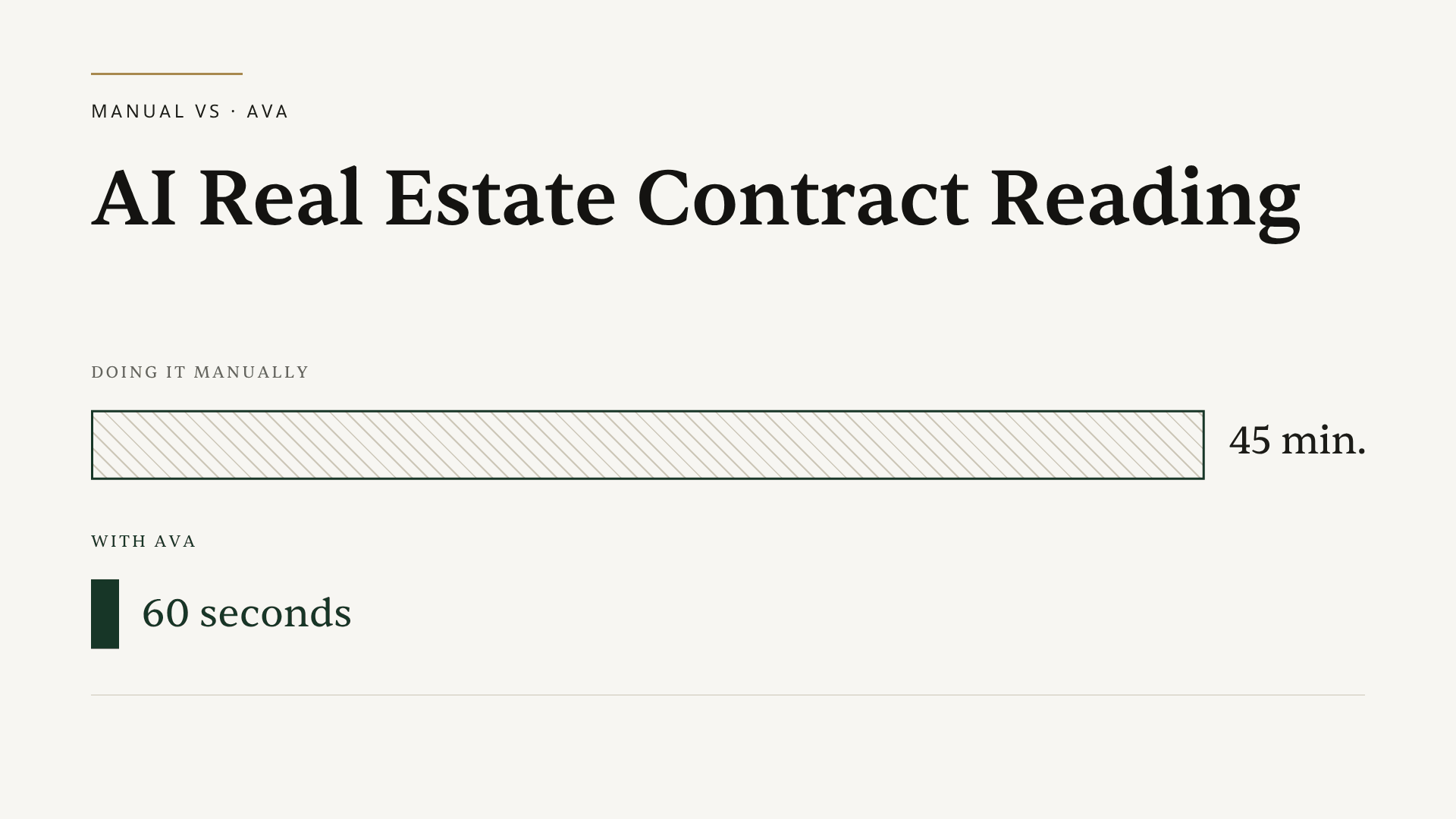
What happens the second you upload a signed purchase agreement to AI transaction software? With Ava, the contract gets read end to end, every date and party extracted, the deadlines calculated, and the checklist built, all in under two minutes. No template setup. No field mapping. No second tool. From there, every document the deal needs is tracked for compliance in one place, all the way to closing.
That is the whole promise of AI real estate contract reading, and most articles describe it in the abstract. This one does not. We are going to walk through the exact intake sequence in real time, the way you would watch it happen on a screen share, so you can see what the software is doing at each step and where it saves you the time you are currently spending by hand.
Let's start with the version of this you already know.
The old way: 45 minutes for one file
Here is the intake routine almost every transaction coordinator runs, on every new file, manually.
You open the PDF and read it end to end. You find the buyer's name and the seller's name and the property address, and you type them into your system. You locate the purchase price, the earnest money, the down payment. Then you hunt down the dates: acceptance, inspection, appraisal, financing contingency, title review, closing. Some of those are not even written as dates. They are written as "10 days after acceptance" or "7 business days before closing," so you pull out a calendar and count, skipping weekends, double-checking holidays.
Then you build the checklist. Then you set the deadline reminders so nothing slips.
Start to finish, that is roughly 45 minutes of focused work for a single transaction. It is not an outlier, either: industry estimates put the paperwork side of a single deal at around 30 hours. Multiply intake across a busy week and it alone eats a full day. And it is fragile work, because one transposed digit in a closing date or a missed contingency window can turn into a real compliance problem later. The mental tax of staying perfectly accurate on repetitive data entry is exactly what creates a ceiling on how many files you can carry.
That is the work Ava takes off your plate. Here is what it looks like instead.
The Ava way: the 60-second walkthrough
You drag the contract PDF into ListedKit. That is the entire input. One upload.
Ava reads the document immediately. Not character-by-character transcription like old OCR, but actual comprehension. She identifies what kind of document it is, recognizes the structure of that specific state's form, and starts pulling information. She does not need to be told it is a California PRDS form or a Texas TREC contract or a Florida FAR/BAR agreement. She reads any state's purchase agreement without pre-setup, because she understands contracts rather than matching them to a stored template.
Within seconds, the extracted data appears on screen. Buyer and seller. Property address. Purchase price, earnest money, down payment. Every contingency, inspection, financing, appraisal, with its own deadline. And the dates that were written as relative language get calculated into real calendar dates, weekends and state rules accounted for, so "7 business days before closing" becomes an actual day on your timeline.
This is the part that turns skeptics. As Nikki, a transaction coordinator using ListedKit, put it: "She reads the contracts for me and extracts every piece of information, including some the agents didn't even know were included." That last clause is the point. Speed only matters if the output is right, and the proof that it is right is that Ava surfaces terms the humans on the deal had skimmed past. Across the platform, Ava has now read 5,629 real estate contracts and auto-extracted 40,838 transaction fields, so this is not a demo trick on a clean sample document.
From that same extracted data, Ava builds the transaction. The timeline lands on your calendar, the checklist and documents populate, and the deadline reminders are set. You did not configure any of it. This is why 84% of teams run their first deal within 24 hours of signing up, with a median of under 20 minutes from signup to first transaction. There is nothing to learn first. The first thing you do is the thing the tool is for, and your first transaction is completely free so you can run a real contract through it before you decide anything.
So far we have replaced the reading, the data entry, the date math, the checklist, and the reminders. But intake is only day one of a deal. The longer, harder job is keeping every document that comes after it correct and accounted for all the way to closing, and that is the part no other tool folds into the same flow.
The part no other tool does: every document tracked to closing
A deal does not end at intake. Disclosures come back signed, addenda get added, inspection reports and amendments arrive, and each one has to be checked and filed. In the manual version, you open every document as it lands, eyeball whether it was actually signed, scan for blank fields someone forgot to fill, and confirm the names, dates, and price match the contract you already have. Then you keep a running list, in your head or in a spreadsheet, of what is in, what is still missing, and what came back wrong. The latest version of any given document is usually buried somewhere in an email thread.
ListedKit collapses that into one view. Ava runs a compliance scan on every document in the file, checking that it is signed, that nothing required is missing, and that the information on it matches the rest of the transaction. She flags the gaps for you: an unsigned page, a blank field, a date that does not line up. She also reads your transaction emails, so when a signed document or an update comes in over email, its status updates in the same place instead of sitting unread in your inbox. The result is one dashboard for the full lifecycle of every document required to close, from the moment it is created to the moment it is done.
This is the gap in every competing tool worth naming. Plenty of software now extracts contract data and spits out a checklist. That is becoming table stakes. But a checklist only tells you a document should exist. It does not tell you whether the one you received is actually complete and correct, and it does not watch your email for you. ListedKit closes that loop. Intake, extraction, the checklist, and live compliance tracking across every document run as one continuous flow with no pre-setup, and that combination is what no one else ships.
The bottom line
AI real estate contract reading is no longer just "the software pulls the dates out." Extraction is the easy part, and almost everyone does it now. What actually changes your day is the full sequence running on one upload with no setup: Ava reads any state's contract, extracts and verifies every field, calculates the real deadlines, and builds the transaction before you would have finished reading page one by hand. Then she keeps every document required to close tracked, scanned for compliance, and updated from your transaction emails, so the whole file stays accounted for through closing. That is the part to evaluate, and the only way to evaluate it is to feed it a real contract.