Best Practices
How to Take On More Files Without Burning Out as a TC
How do TCs handling 40+ files a month stay on top of everything without letting things get sloppy?
It's not superhuman focus. It's not a color-coded spreadsheet system they spent three weekends building. It's that each new file they take on doesn't actually add that much work, because the per-file overhead is nearly zero.
Most TCs and in-house admins hit a wall somewhere around 15 to 20 active files. Not because they're not good at their job, but because every new file dumps the same manual tasks into their lap: re-entering contract dates, recalculating deadlines, drafting the same emails they wrote last week. At 10 files, that overhead is manageable. At 20, it starts to feel like the job is managing you instead of the other way around. At 25, something slips.
This guide is for the person who is personally processing the paperwork: the solo TC, the in-house admin, the team lead doing their own transaction management on top of everything else. If you want to take on more without burning out, you don't need to work harder. You need to find where the overhead is hiding and cut it.
(If you're a broker or team lead looking to scale your team's capacity by adding AI for your existing TC, this post on AI real estate team software covers that angle.)
Why the Wall Hits Around 15-20 Files
The math on this is simple, but most TCs don't do it until they're already buried.
Think about what happens every time a new file lands on your desk. You open the contract, start reading, and spend 20 to 30 minutes manually pulling out dates: the effective date, the inspection deadline, the financing contingency, the closing date. Then you calculate the relative deadlines. When is "5 business days after the effective date"? What about "7 business days before closing"? You enter all of it into your system, your calendar, your welcome email to the client.
That's one file. Now multiply it by 20.
TCs consistently report manually entering 20 to 30 due dates per contract. At 20 active files a month, that's up to 600 individual data entry moments, each one a chance to miscalculate, transpose a number, or simply forget to enter something at all.
And that's just intake. That doesn't count the emails.
Here's what's actually happening when TCs describe feeling burned out: it's not that the work is emotionally draining, though it can be. It's that the volume of low-complexity, high-repetition tasks grows faster than the number of hours in a day. Every new file doesn't just add one transaction to manage. It adds a stack of manual tasks that were already eating your time on the files you already had.
The wall isn't a capacity problem. It's an overhead problem.
The Three Tasks That Eat Your Capacity
If you strip everything else out, most of the overhead in TC work comes down to three categories. Get these under control and you can handle significantly more volume without adding hours.
Contract data entry. Every contract has dates, parties, contingencies, and financials that need to live somewhere in your system. If you're entering that manually, you're copying and pasting from PDFs, recalculating business-day deadlines by hand, and hoping you didn't make a typo. At one file per week, it's fine. At 20 files a month, it's 7 to 10 hours of work that produces zero value for your clients.
Repetitive emails. A typical real estate transaction involves 8 to 12 standardized communications: the welcome email, the timeline overview, the inspection reminder, the financing contingency notice, the closing instructions. According to TC industry research, most TCs rewrite these from memory every time, with minor adjustments for the specific client and property. That's not writing. That's transcription, and it compounds fast.
Deadline tracking across active files. A typical transaction checklist runs close to 200 individual tasks, each with its own deadline. Holding 15 sets of those dates in your head simultaneously, while also managing inbound calls and emails, is not sustainable. The mental overhead alone creates a ceiling on how many files you can manage before something falls through.
These three things are also, not coincidentally, the most automatable parts of TC work. Which is where the ceiling starts to move.
Fixing Intake: The First 10 Minutes Set Your Ceiling
The intake step is where most TCs lose the most time, and where the biggest gains are available.
Here's what intake looks like right now for a lot of TCs: contract arrives, you open it, spend 20 to 30 minutes reading and entering data, build a timeline, populate your task list, add the dates to Google Calendar, and send a welcome email. By the time you're done with one intake, you could have started two more.
What intake should look like: contract arrives, you upload it, review what the system extracted, make any adjustments, and move on. Total time: under 5 minutes.
That's what Ava does. When you upload a contract into ListedKit, Ava reads it in under 60 seconds. It extracts every key detail: the parties, the property info, the financials, the effective date, the contingency periods. It calculates complex timelines automatically, including relative deadlines like "7 business days before closing" or "5 calendar days after acceptance." It handles counteroffers, following the logic across multiple documents to find the final agreed terms. And it builds your task list from that context before you've had a chance to make your first call.
No templates to configure. No state-specific rules to set up. You upload the contract and review what comes out.
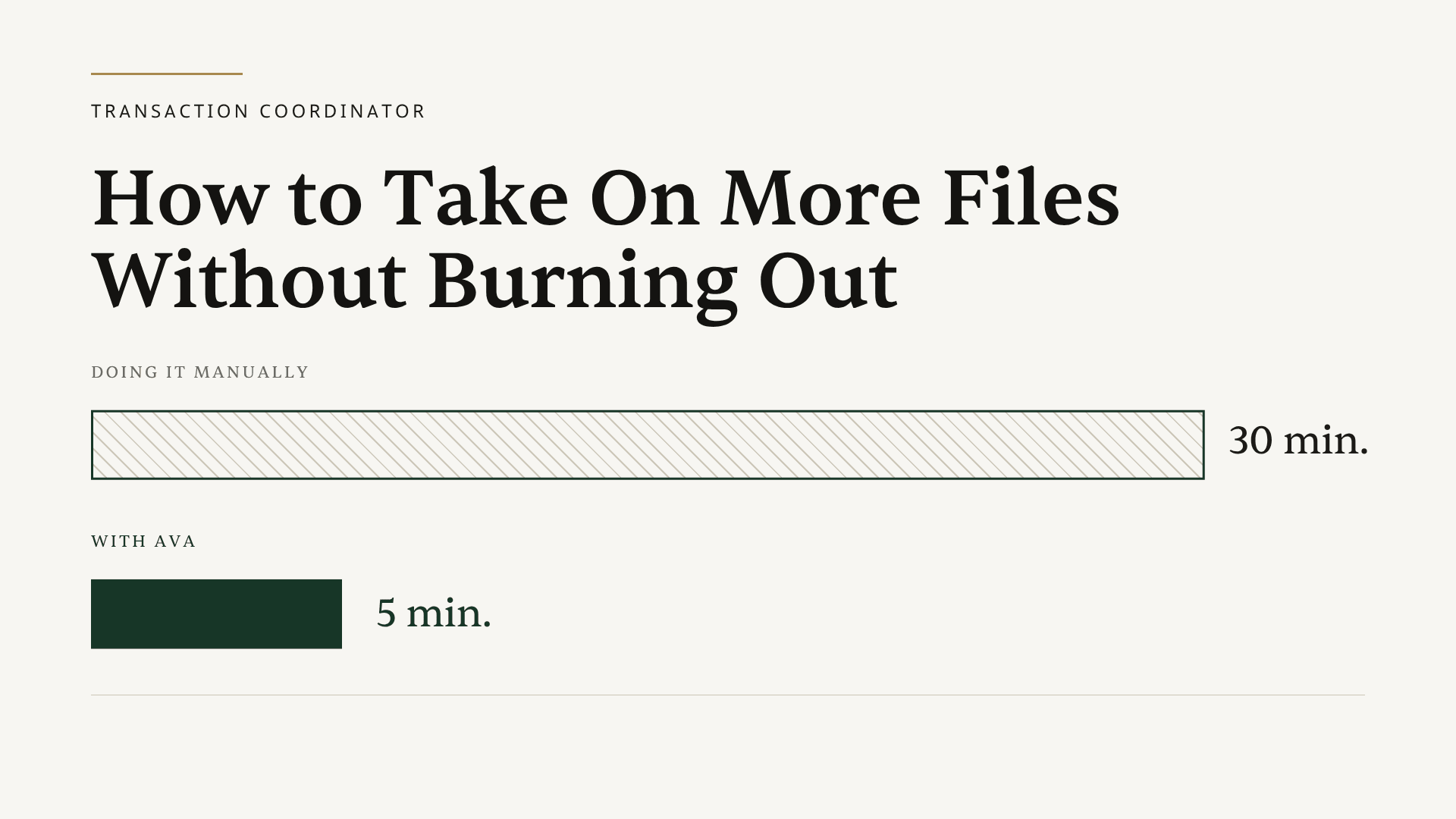
The difference between 30-minute intake and 5-minute intake is the difference between a 20-file ceiling and a 40-file ceiling. That's not an exaggeration. It's arithmetic.
If you want to see what this looks like on a real contract, your first intake is free.
For a deeper look at automating your full workflow from intake to closing, that guide covers all five phases in detail.
Killing the Repetitive Email Problem
The email problem is sneaky because each individual message doesn't feel that slow. Five minutes to draft a welcome email. Three minutes to write the inspection reminder. Two minutes for the financing contingency notice. None of those feel like a big deal.
But at 20 files a month, with 10 emails per file, that's 200 emails. Even at an average of 3 minutes each, that's 10 hours a month rewriting messages that say the same thing every time, with slightly different client names and dates.
The solution isn't a rigid template system where you paste in a generic message and manually swap out the details. That still takes time, and you still make mistakes when you're moving fast.
The better approach combines saved templates with AI-assisted drafting. Ava can draft an email from a vague prompt like "congrats on accepted offer, share their timeline, keep it warm" and produce a polished message using the actual transaction details it already extracted from the contract. The client name, the closing date, the inspection deadline: all pulled from context, not manually typed. You read it, adjust if needed, and send. The whole thing takes about 30 seconds instead of 5 minutes.
You can also build a library of your best messages, with smart placeholders that fill in automatically. AI email templates for real estate TCs covers how to set those up without locking you into a rigid format.
The goal isn't to remove your voice from the emails. It's to stop rebuilding the scaffolding from scratch on every file.
Deadline Tracking That Doesn't Live in Your Head
At 10 active files, you can probably hold most of the important deadlines in your head. You know the Morrison file closes on the 28th. You know the Hendricks inspection is due Thursday. Your mental model roughly works.
At 20 files, it stops working. Not because you're less sharp, but because no one is designed to track 300+ individual deadlines simultaneously without external scaffolding. Something eventually slips, and when it does, it's usually a business-day deadline that you calculated correctly but didn't catch in time.
The answer isn't checking your spreadsheets more often. It's having one place that shows you every active transaction's next critical deadline, sorted by urgency, without you having to build or update that view manually.
That's what a proper transaction dashboard does. Instead of jumping between a separate Google Sheet per deal and a calendar full of events you entered by hand, you have one screen that tells you what needs attention today. When a deadline shifts, it updates. When a new file is added, it appears. You're not maintaining the view, you're just reading it.
Calendar sync is the other piece. When you can add the full transaction timeline to Google Calendar or Outlook in one click, including invites to all relevant parties, that 30-minute calendar-building task becomes a single prompt. Multiply that across 20 files a month and you've reclaimed hours you didn't know you were losing.
The Math When Per-File Overhead Drops
Here's the arithmetic that explains why some TCs run 40+ files while others hit a wall at 15.
At 30 minutes of overhead per new file (intake, calendar, initial emails), and with a standard workday where calls, document reviews, and problem-solving take the rest of your time, most TCs max out somewhere between 15 and 20 active files before quality starts to slip or hours become unsustainable. That's a pattern well-documented across the TC industry. It's not a personal failing. It's just the math of a fixed number of hours.
Now change one variable. Drop the per-file overhead from 30 minutes to 5 minutes. Same working hours. Same time on calls and problem-solving and document review. But the intake overhead goes from 10 hours a month at 20 files to under 2 hours. That's 8 hours of capacity that didn't exist before.
Eight hours is two to three more files a week. Compounded over a month, it moves the ceiling from 20 files to 35 or 40, not because you're working harder, but because you're no longer spending a third of your time on data entry and email drafting.
Explore what ListedKit AI does at each phase of a transaction if you want to see where the time savings specifically come from.
This math also applies if you're a team lead doing your own transaction management on top of running agents. At 30 minutes of overhead per file, adding files means choosing between your agent relationships and your admin backlog. Drop that overhead and the choice goes away. If you want to see how other team leads in that position are using Ava, book a 15-minute demo and we can walk through a real example.
The Bottom Line
The ceiling on how many files you can handle isn't your work ethic. It's how much manual work each new file creates. Get contract intake from 30 minutes to 5. Build emails that fill themselves in. Put your deadlines in a dashboard instead of your head. Do those three things and the ceiling goes up, without the burnout that usually comes with trying to push past it.